Futures Data Fees at Prop Firms
Futures prop firms either include market data, sell deeper data as an add on or pass professional data fees to the trader at the live stage.

Futures exchanges charge for real time market data, and prop firms handle that charge in one of three ways: they include it in the account price, sell deeper data as a monthly add on, or pass the full cost to the trader at the live stage. Basic top of book data is often included on simulated accounts, while depth of market data and professional data on live accounts are where extra monthly costs appear. Checking which applies can change the real cost of an account by tens or hundreds of dollars a month.
Why futures data costs money
Futures trade on exchanges that license their real time prices, and the fees depend on who is using the data. The main US index, energy, metals and rates contracts sit on the four CME Group exchanges: CME, CBOT, NYMEX and COMEX. Each is a separate data subscription, so the instruments you trade decide how many you need.
Topstep sets out a useful map of which products sit where:
- CME: ES, MES, NQ, MNQ, RTY, M2K, NKD, the main currency futures and livestock.
- CBOT: YM and MYM on the Dow, Treasury futures such as ZN and ZB, and grains such as ZC and ZS.
- NYMEX: CL, QM, NG and QG.
- COMEX: GC, SI and HG.
One detail catches traders out: the Dow contracts are on CBOT, not CME, so a trader who adds YM to an ES and NQ plan needs a second exchange.
Exchanges also split users into professional and non professional, with higher fees for professionals. Topstep states that the CME requires payment for all market data on simulated accounts, and that its traders must select non professional status when they sign the CME data agreement. On its live accounts, the same traders are classed as professionals by the exchange.
Level 1 and Level 2 data
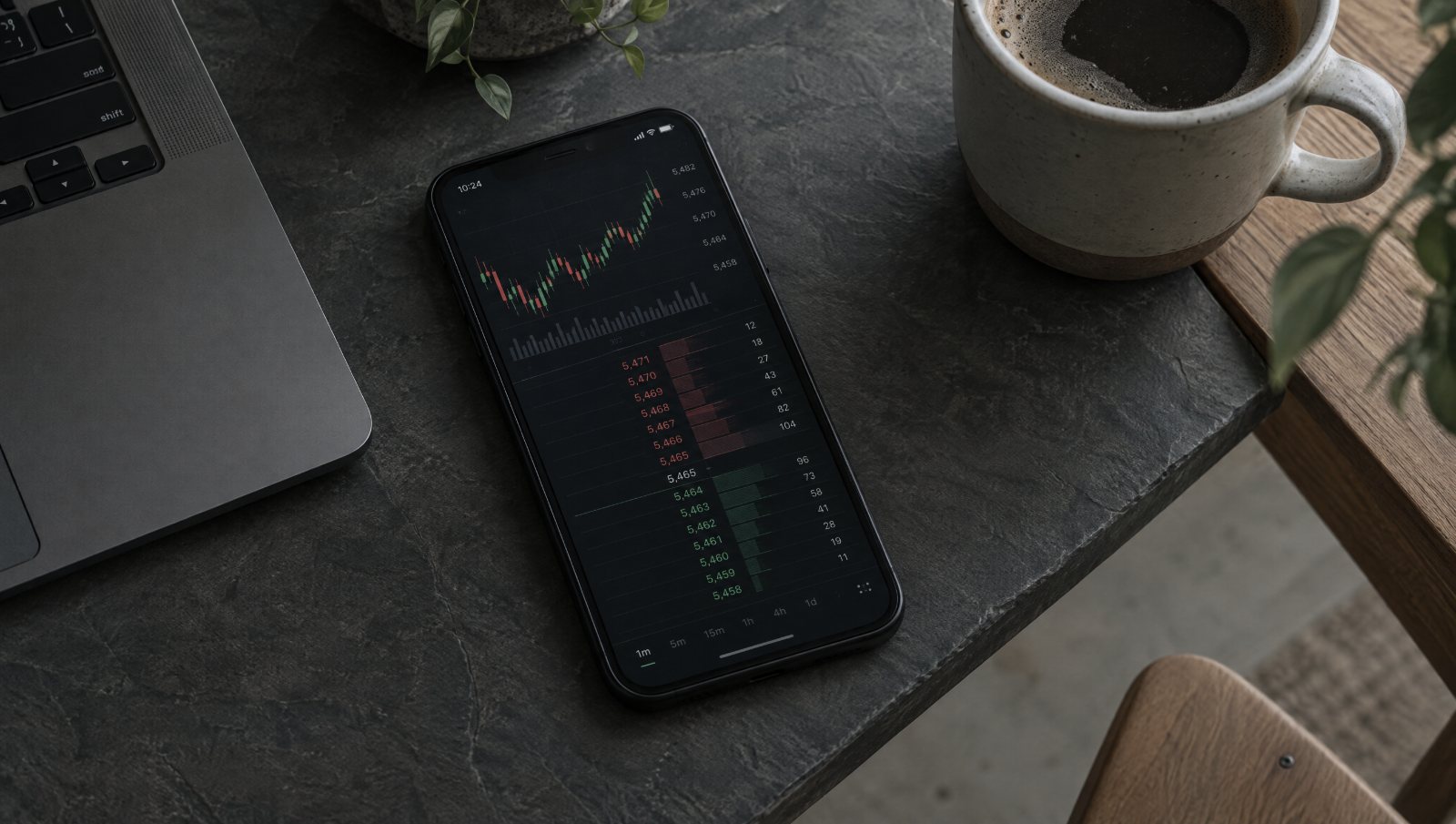
Level 1, or top of book, shows the best bid and the best ask, and it is enough for trading from charts. Level 2, or depth of market, shows several price levels on each side. Topstep describes it as the five to ten best bids and asks, and it is what traders need to trade from a price ladder. Many firms include Level 1 and charge for Level 2, so the cost depends as much on how you trade as on which firm you choose.
What named firms charge
| Firm | Simulated accounts | Live or later stages |
|---|---|---|
| Topstep | Level 1 for all four exchanges included on the Trading Combine and Express Funded Account; Level 2 is $38 a month | Professional data at $133 per exchange per month, with one exchange covered by Topstep |
| The5ers Futures | Market data included at no extra cost | Not stated |
| GOAT Funded Futures | Included: full CME Group Level 1 on CQG platforms; CME only on DxFeed platforms, with COMEX on request | Not stated |
| Hola Prime Futures | CME market data free on Tradovate, NinjaTrader and WealthCharts | Not stated |
| DayTraders.com | Real time data free on Straight to Funded accounts; not stated for evaluations and Pro accounts | Free on Straight to Live accounts |
| Funded Futures Family | Not stated | Traders at the live stage choose and pay for their own data subscription |
Where a cell says not stated, the firm’s published rules do not give a figure, and the firm should be asked before buying. Topstep’s own figures put the cost of all four exchanges on a live account at $399 a month out of pocket once its covered exchange is taken into account.
Data across stages and accounts
Data arrangements often run through the simulated stages unchanged and then shift at the live stage. Topstep states that Level 1 is free for all simulated accounts, including the Express Funded Account, so passing the Trading Combine does not add a data bill. It also states that an active Level 2 subscription applies to all Trading Combines under the same username, so a trader running several evaluations pays for depth data once rather than per account.
The change comes with live money. Because live traders are classed as professional users, the data fee per exchange at Topstep is more than three times the $38 monthly Level 2 add on, and each additional exchange is a separate charge. A trader planning to trade several markets live should treat data as a fixed monthly cost of the business, in the same way as a platform licence, and set it against expected payouts before accepting the move.
A worked example
The figures below are made up to show how data changes the cost of an account. A trader buys a monthly futures evaluation at $100 a month and trades from a price ladder, so needs depth of market data at $40 a month.
| Stage | Account fees | Data fees | Total |
|---|---|---|---|
| Three months to pass the evaluation | $300 | $120 | $420 |
| Three months on a simulated funded account | $0 | $120 | $120 |
| Twelve months live, trading ES, CL and GC at $130 per exchange, with one exchange covered | $0 | $3,120 | $3,120 |
In the evaluation, data adds 40% to the cost of passing. On the live account, trading across three exchanges means paying for two of them, $260 a month, and $3,120 over a year. At a 90% split, the trader needs about $3,467 of profit a year just to cover that data. The same trader limiting the live plan to ES, MES, NQ and MNQ would need only the CME subscription, which in this example is the one covered, and would pay nothing for data.
How to keep data costs down
- Match data to your method. If your entries come from charts, Level 1 may be all you need.
- Concentrate on one exchange. Keeping to the CME index contracts avoids a second subscription.
- Time subscriptions. Topstep bills Level 2 on the 28th of each month without proration, and it notes that exchanges do not prorate live data either, so it suggests starting a live account on the first of the month.
- Cancel before the rebill. Topstep asks traders to cancel Level 2 by the 27th to avoid the next charge.
- Check the platform’s feed. At GOAT Funded Futures, DxFeed platforms carry CME data only unless COMEX is requested, so a gold trader should check before choosing a platform. Platform choice is covered in Rithmic, Tradovate and NinjaTrader for prop accounts.
Common mistakes
- Leaving data out of the budget. A monthly add on can cost a large share of a cheap evaluation.
- Declaring the wrong status. Selecting professional status on a simulated account can raise fees, and Topstep tells its traders to select non professional.
- Forgetting the Dow is on CBOT. Adding YM or MYM means a second exchange.
- Assuming live costs match simulated ones. Professional rates apply at the live stage at firms such as Topstep, and some firms pass the whole cost to the trader. Simulated vs live capital covers what else changes.
- Paying for data you do not use. Depth of market data does little for a trader who never opens a ladder.
Checklist
- List the contracts you trade and the exchanges they sit on.
- Check whether the firm includes Level 1 data for each of those exchanges.
- Find the price of Level 2 data and how it is billed.
- Ask what data costs apply on the funded and live stages.
- Confirm the data feed that comes with your chosen platform.
- Add data to the total cost before comparing firms.
Futures firms are listed together under futures prop firms, with rankings in best futures prop firms. For the wider cost picture, see prop firm challenge cost, and for how futures compares with forex, see forex vs futures prop firms. More rule guides sit under prop firm rules.
Frequently Asked Questions
Do futures prop firms charge for market data?
Some include it and some charge extra. The5ers Futures, GOAT Funded Futures and Hola Prime Futures state that market data is included on their accounts, with some limits by platform. Topstep includes Level 1 data on simulated accounts and charges $38 a month for Level 2. At the live stage, several firms pass professional data fees to the trader.
What is the difference between Level 1 and Level 2 data?
Level 1, or top of book, shows the best bid and the best ask and is enough for trading from charts. Level 2, or depth of market, shows several price levels on each side of the order book, which traders need to trade from a price ladder. Firms often include Level 1 and sell Level 2 as a monthly add on.
Why are data fees higher on a live prop account?
Exchanges charge professional users more than non professional users, and traders on a live prop account are usually classed as professional. Topstep, for example, lists professional data at $133 per exchange per month on its Live Funded Account and covers one exchange for the trader. On simulated accounts, the same traders select non professional status.
Which exchange do I need for ES, NQ and YM futures?
ES, NQ and their micro versions MES and MNQ are CME products. YM and MYM, the Dow contracts, are listed on CBOT. Crude oil and natural gas are on NYMEX, and gold, silver and copper are on COMEX. A trader who wants ES and YM together therefore needs data for two exchanges, where a firm charges for data by exchange.
Can I avoid paying for Level 2 data at a prop firm?
Often, yes, if your method works from charts. Level 1 data shows the best bid and ask, which is enough for many chart based entries, and many firms include it. Traders who rely on the order book or a price ladder generally need Level 2. Check whether your firm's platform includes depth data before paying for an add on.